
Install Claude Code with Hawiyat Composer
Install Node.js, Claude Code, and activate Hawiyat.
# Installing Node.js
Node.js 18+ is required for Claude Code. Choose your platform:
bash
winget install OpenJS.NodeJSbash
brew install nodebash
sudo apt install nodejs npmVerify installation: node --version
⚠ PowerShell Execution Policy
On Windows, you may get a security error when running scripts. Fix it by running PowerShell as Administrator and executing:
Set-ExecutionPolicy -ExecutionPolicy RemoteSigned -Scope CurrentUser# Installing Claude Code
Install Claude Code globally via npm:
bash
npm install -g @anthropic-ai/claude-codeVerify the installation:
bash
claude --version# Activating Hawiyat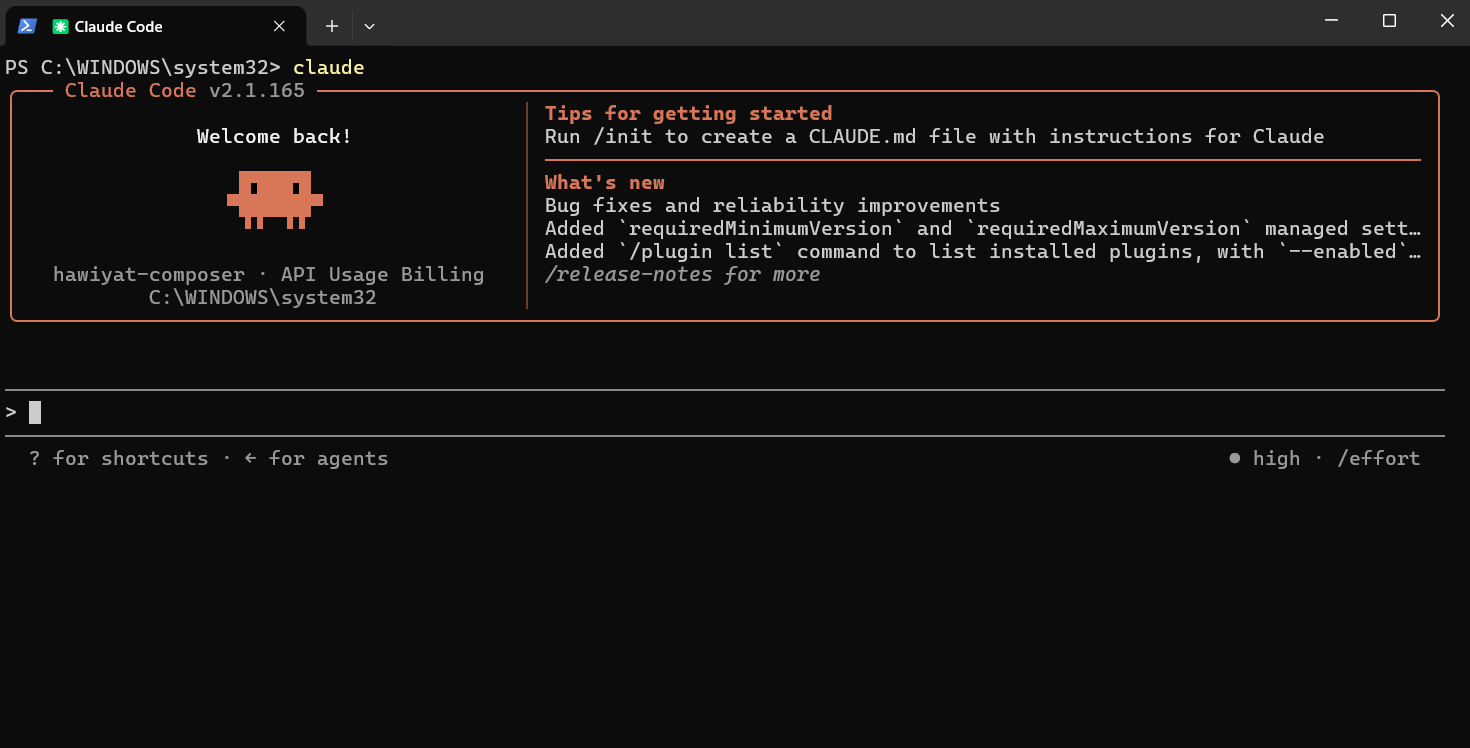
Activate your Hawiyat subscription with your unique token:
bash
npx @hawiyat-team/hawiyat-claude install --token sk-xxxxReplace sk-xxxx with the token from your receipt or Hawiyat dashboard.
You should see the Hawiyat Composer indicator in your Claude Code terminal.
# Installing VS Code Extension
Install the Claude Code extension for VS Code to get a native editor experience:
bash
code --install-extension anthropic.claude-codeAlternatively, install from the VS Code marketplace:
- Open VS Code
- Go to the Extensions view (
Ctrl+Shift+X/Cmd+Shift+X) - Search for Claude Code
- Click Install
Pro tip: After installing, open the Command Palette (
Ctrl+Shift+P / Cmd+Shift+P) and run Claude Code: Start Session to begin.Pro tip: Run
claude --help to see all available commands.